Help › I run a box › Your website
Your website's blog
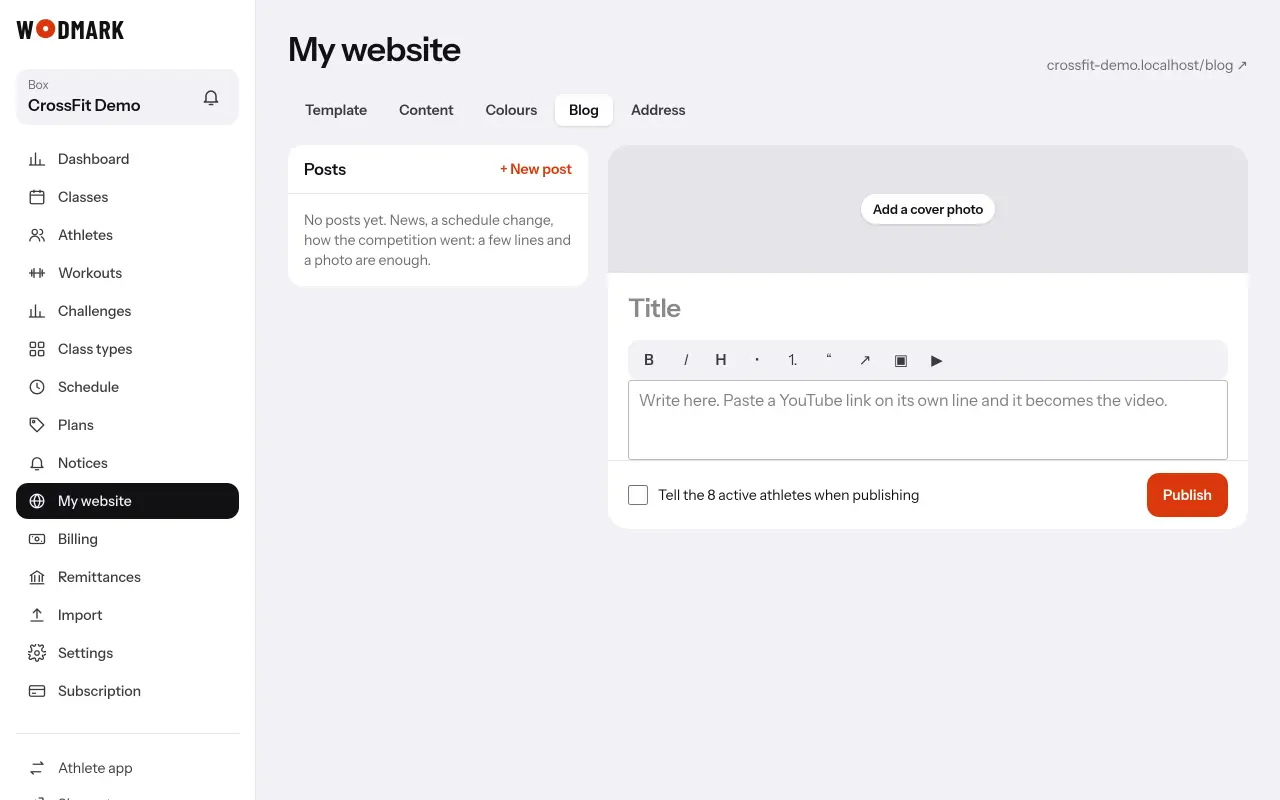
- 1Open «My website» › «Blog» and tap «+ New post»Title, a cover photo and the text. It saves itself as you write.
- 2Format it with the barBold, italics, subheading, lists, links and photos. A YouTube link on its own line becomes the video, loaded only when a visitor presses play.
- 3Tap «Publish»Tick «Tell the active athletes» to send a notice once: push, e-mail or the bell, as each athlete chose. Editing it later never tells them again.
The latest three posts show on your website's home, and all of them at /blog.